A caption designed for the feed
The AI follows Instagram-specific guidelines: an opening hook, short paragraphs, a close tone and a clear call to action at the end.
Social network
Instagram demands consistency, and consistency demands time. SkaldPost reads your company's website and prepares a caption, hashtags and an image designed for the feed, ready for you to review, schedule and publish.
Welcome credits when you create your account. No credit card required.
Almost every business knows it needs to be on Instagram. Keeping the profile alive and on brand is another story.
In a caption, only the beginning shows before "more". A weak opening makes the rest of the text go unnoticed.
There is no such thing as an Instagram post without an image. Even with the idea ready, the artwork is missing, and building one in an editor takes the afternoon.
Without criteria, hashtags become the same list repeated on every post, which does not help categorize the topic or reach the right audience.
A different style on every post makes the feed look disorganized and makes the brand harder to recognize.
Uploading artwork, pasting the caption and hashtags and picking the right moment, all from your phone, is an invitation to forget.
You enter the website address. The AI builds the profile with your brand's tone of voice, audience, content pillars, colors and hashtags, and you adjust whatever you like.
When you create a post or generate the week, tick Instagram. The caption is written following the network's best practices: a hook on the first line, short paragraphs and a call to action.
See the feed-style preview, edit the text, swap hashtags, upload your own image or ask for another version, with optional instructions.
Set the date and time. With the account connected, SkaldPost publishes at the scheduled time. Without a connection, you download the image and copy the caption.
The AI follows Instagram-specific guidelines: an opening hook, short paragraphs, a close tone and a clear call to action at the end.
The selection mixes hashtags for the post topic, the niche and the brand, in a quantity suited to Instagram. You edit the list.
The image is generated by AI to illustrate the post, or drawn from a template with your brand colors. If you prefer, upload your own photo. You can also set image instructions per brand.
Check how the post appears in the feed, with caption and hashtags, before scheduling.
See the whole month on the calendar, filter by brand and schedule each post with a date and time.
Connect your account with the Connect Facebook and Instagram button, without copying tokens, and let SkaldPost publish on schedule.
The generator's Instagram guidelines call for a strong opening, which can be a question, a statement that breaks a belief or a concrete promise. Then come short sentences, small paragraphs and a single call to action: comment, save, share or reach out through the link in bio. The typical length is between 400 and 1,200 characters, and the number of hashtags between 5 and 15.
None of this replaces your judgment. The AI can get a detail wrong, sound too neutral or repeat a structure. That is why the caption is always editable, and you can ask for a new version with instructions such as a more relaxed tone or highlight this week's promotion.
To understand the logic behind the profile that feeds every caption, see the AI post generator page.
For automatic publishing, the Instagram account must be a professional one (Business or Creator) and linked to a Facebook Page. The connection is made with the Connect Facebook and Instagram button, on the Integrations screen: you log in to Facebook, choose the Page and confirm that you want to include Instagram.
Instagram requires an image on every post, and SkaldPost publishes single-image posts. Carousels, Reels, Stories and videos are not yet part of what the tool publishes, so use SkaldPost for feed posts and keep those formats in the app itself.
No professional account, or prefer to publish yourself? The manual flow works: you download the image, use the Copy caption button and publish in the app.
There is no magic number of posts per week. What works is the frequency you can sustain for months. Skald can generate up to 14 days of posts at once, and you decide how many to approve.
For timing, the best path is to look at the data from your own audience. Instagram Insights shows when your followers are active, so you can test a few time slots. Once you have your times, schedule everything on the calendar.
Want to plan the month? There is a template in the article Instagram content calendar. The free plan gives you welcome credits to try it, and the pricing page shows the cost of each action before any subscription.
Every industry calls for a different tone. See the page for small businesses if your time is short.
Illustrative examples, with fictitious brands, of the kind of post Skald prepares for the feed. Each one comes with a caption, hashtags and an image.
Petal & Bloom Florist
Instagram · illustrative example
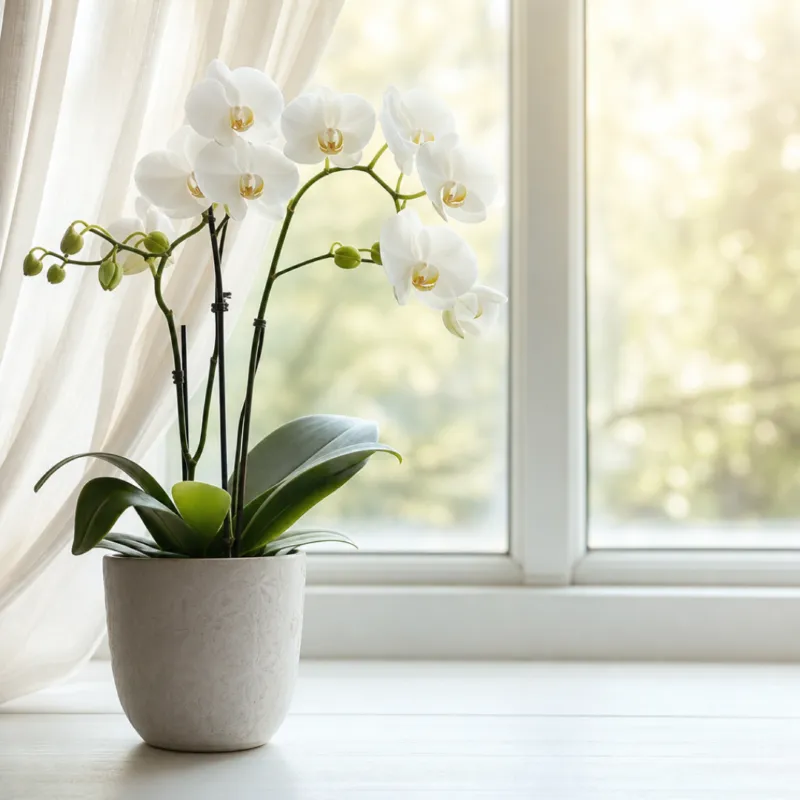
Orchid not blooming? Start with light and water
Petal & Bloom FloristHas your orchid stopped blooming? It is probably just asking for indirect light and less water. Watering once every seven days is usually enough for most homes. Save this post and check before you water.
#orchids #houseplants #florist #gardeningtips
Balance Body Studio
Instagram · illustrative example

Consistency beats intensity in training
Balance Body StudioTraining three times a week beats five intense weeks followed by two months off. Start with what fits your routine and build up slowly. Want help putting your plan together? Send us a DM.
#workout #fitnessroutine #healthandwellness
Golden Thread Sweets
Instagram · illustrative example

Weekend orders close Thursday, 6 p.m.
Golden Thread SweetsWeekend order? Orders for dessert jars and gourmet truffles close Thursday at 6 p.m. Secure yours through the link in bio and pick up on Friday or Saturday.
#dessertshop #dessertjars #gourmettruffles #preorders
Plumb Line Accounting
Instagram · illustrative example

Business and personal accounts do not mix
Plumb Line AccountingMixing personal and business finances is one of the most common mistakes people make when starting a company. Separate your business bank account right away. A well-organized month starts there. Questions? Send us a DM.
#accounting #businessfinance #entrepreneurship
Yes, when the account is professional (Business or Creator), is linked to a Facebook Page and was connected with the Connect Facebook and Instagram button. Without a connection, you download the image and copy the caption.
For automatic publishing, yes. Personal accounts can use the manual flow, which remains available on every plan.
No. SkaldPost works with single-image feed posts. Every Instagram post needs an image, either generated by the AI or uploaded by you.
The AI suggests hashtags tied to the post topic, the niche and the brand, and you can edit, remove or add. The brand profile also keeps a list of hashtags that serves as a base for posts.
Instagram accepts up to 2,200 characters and 30 hashtags. SkaldPost respects those limits when publishing, cutting at a natural point in the text if needed, but generated captions stay well below that.
Yes. You regenerate just the caption, just the image or both, with optional instructions. The credit cost is shown before you confirm.
Paste your website address and get posts ready to review. The free plan has welcome credits.